mirror of
https://github.com/jags111/efficiency-nodes-comfyui.git
synced 2026-05-07 01:06:42 -03:00
 b1a9fb1416
- Introduced `handle_websocket_failure()` to consolidate error handling and messaging.
- Removed redundant `websocket_status` checks in the server initialization function.
- Enhanced the `send_command_to_frontend()` function to handle potential WebSocket failures.
- Ensured error messages related to WebSocket failures are displayed only once.
Efficiency Nodes for ComfyUI
A collection of ComfyUI custom nodes to help streamline workflows and reduce total node count.
Direct Download Link
Efficient Loader
- A combination of common initialization nodes.
- Able to load LoRA and Control Net stacks via its 'lora_stack' and 'cnet_stack' inputs.
- Can cache multiple Checkpoint, VAE, and LoRA models. (cache settings found in config file 'node_settings.json')
- Used by the XY Plot node for many of its plot type dependencies.

Ksampler & Ksampler Adv. (Efficient)
- Modded KSamplers with the ability to live preview generations and/or vae decode images.
- Used for running the XY Plot script. ('sampler_state' = "Script")
- Can be set to re-output their last outputs by force. ('sampler_state' = "Hold")
.png?raw=true)
.png?raw=true)
XY Plot
- Node that allows users to specify parameters for the Efficient KSampler's to plot on a grid.

Image Overlay
- Node that allows for flexible image overlaying. Works also with image batches.

SimpleEval Nodes
- A collection of nodes that allows users to write simple Python expressions for a variety of data types using the "simpleeval" library.
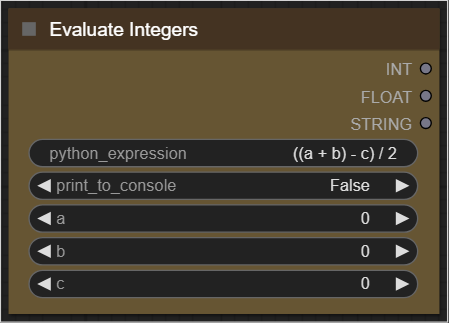

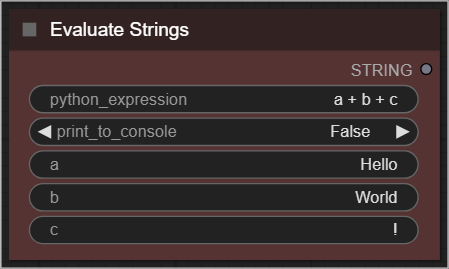
Examples:
- HiResFix using the Efficient Loader & Ksampler (Efficient)
- 2D Plotting using the XY Plot & Ksampler (Efficient) nodes
- Photobashing using the Image Overlay node
Dependencies
Dependencies are automatically installed during ComfyUI boot up.
Install:
To install, drop the "efficiency-nodes-comfyui" folder into the "...\ComfyUI\ComfyUI\custom_nodes" directory and restart UI.