
7.2 KiB
ComfyUI LoRA Manager
Revolutionize your workflow with the ultimate LoRA companion for ComfyUI!



A comprehensive toolset that streamlines organizing, downloading, and applying LoRA models in ComfyUI. With powerful features like recipe management and one-click workflow integration, working with LoRAs becomes faster, smoother, and significantly easier. Access the interface at: http://localhost:8188/loras

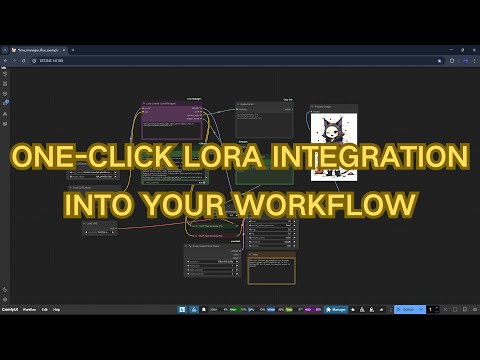
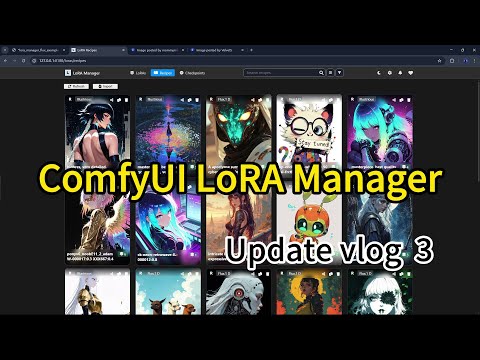
📺 Tutorial: One-Click LoRA Integration
Watch this quick tutorial to learn how to use the new one-click LoRA integration feature:
Release Notes
v0.8.4
- Node Layout Improvements - Fixed layout issues with LoRA Loader and Trigger Words Toggle nodes in newer ComfyUI frontend versions
- Recipe LoRA Reconnection - Added ability to reconnect deleted LoRAs in recipes by clicking the "deleted" badge in recipe details
- Bug Fixes & Stability - Resolved various issues for improved reliability
v0.8.3
- Enhanced Workflow Parser - Rebuilt workflow analysis engine with improved support for ComfyUI core nodes and easier extensibility
- Improved Recipe System - Refined the experimental Save Recipe functionality with better workflow integration
- New Save Image Node - Added experimental node with metadata support for perfect CivitAI compatibility
- Supports dynamic filename prefixes with variables 1
- Default LoRA Root Setting - Added configuration option for setting your preferred LoRA directory
v0.8.2
- Faster Initialization for Forge Users - Improved first-run efficiency by utilizing existing
.jsonand.civitai.infofiles from Forge’s CivitAI helper extension, making migration smoother. - LoRA Filename Editing - Added support for renaming LoRA files directly within LoRA Manager.
- Recipe Editing - Users can now edit recipe names and tags.
- Retain Deleted LoRAs in Recipes - Deleted LoRAs will remain listed in recipes, allowing future functionality to reconnect them once re-obtained.
- Download Missing LoRAs from Recipes - Easily fetch missing LoRAs associated with a recipe.
v0.8.1
- Base Model Correction - Added support for modifying base model associations to fix incorrect metadata for non-CivitAI LoRAs
- LoRA Loader Flexibility - Made CLIP input optional for model-only workflows like Hunyuan video generation
- Expanded Recipe Support - Added compatibility with 3 additional recipe metadata formats
- Enhanced Showcase Images - Generation parameters now displayed alongside LoRA preview images
- UI Improvements & Bug Fixes - Various interface refinements and stability enhancements
v0.8.0
- Introduced LoRA Recipes - Create, import, save, and share your favorite LoRA combinations
- Recipe Management System - Easily browse, search, and organize your LoRA recipes
- Workflow Integration - Save recipes directly from your workflow with generation parameters preserved
- Simplified Workflow Application - Quickly apply saved recipes to new projects
- Enhanced UI & UX - Improved interface design and user experience
- Bug Fixes & Stability - Resolved various issues and enhanced overall performance
⚠ Important Note: To use the CivitAI download feature, you'll need to:
- Get your CivitAI API key from your profile settings
- Add it to the LoRA Manager settings page
- Save the settings
Key Features
-
🚀 High Performance
- Fast model loading and browsing
- Smooth scrolling through large collections
- Real-time updates when files change
-
📂 Advanced Organization
- Quick search with fuzzy matching
- Folder-based categorization
- Move LoRAs between folders
- Sort by name or date
-
🌐 Rich Model Integration
- Direct download from CivitAI
- Preview images and videos
- Model descriptions and version selection
- Trigger words at a glance
- One-click workflow integration with preset values
-
🧩 LoRA Recipes
- Save and share favorite LoRA combinations
- Preserve generation parameters for future reference
- Quick application to workflows
- Import/export functionality for community sharing
-
💻 User Friendly
- One-click access from ComfyUI menu
- Context menu for quick actions
- Custom notes and usage tips
- Multi-folder support
Installation
Option 1: ComfyUI Manager (Recommended)
- Open ComfyUI.
- Go to Manager > Custom Node Manager.
- Search for
lora-manager. - Click Install.
Option 2: Manual Installation
git clone https://github.com/willmiao/ComfyUI-Lora-Manager.git
cd ComfyUI-Lora-Manager
pip install requirements.txt
Usage
- There are two ways to access the LoRA manager:
- Click the "Launch LoRA Manager" button in the ComfyUI menu
- Visit http://localhost:8188/loras directly
- From the interface, you can:
- Browse and organize your LoRA models
- Download models directly from CivitAI
- Automatically fetch or manually set preview images
- View and copy trigger words associated with each LoRA
- Add personal notes and usage tips
- To use LoRAs in your workflow:
- Add the "Lora Loader (LoraManager)" node to your workflow
- Select a LoRA in the manager interface
- Click copy button or use right-click menu "Copy LoRA syntax"
- Paste into the Lora Loader node's text input
- The node will automatically apply preset strength and trigger words
Credits
This project has been inspired by and benefited from other excellent ComfyUI extensions:
- ComfyUI-SaveImageWithMetaData - For the image metadata functionality
- rgthree-comfy - For the lora loader functionality
Contributing
If you have suggestions, bug reports, or improvements, feel free to open an issue or contribute directly to the codebase. Pull requests are always welcome!
☕ Support
If you find this project helpful, consider supporting its development:

💬 Community
Join our Discord community for support, discussions, and updates: Discord Server