mirror of
https://github.com/willmiao/ComfyUI-Lora-Manager.git
synced 2026-03-22 05:32:12 -03:00

192 lines
7.8 KiB
Markdown
192 lines
7.8 KiB
Markdown
# ComfyUI LoRA Manager
|
||
|
||
> **Revolutionize your workflow with the ultimate LoRA companion for ComfyUI!**
|
||
|
||
[](https://discord.gg/vcqNrWVFvM)
|
||
[](https://github.com/willmiao/ComfyUI-Lora-Manager/releases)
|
||
[](https://github.com/willmiao/ComfyUI-Lora-Manager/releases)
|
||
|
||
A comprehensive toolset that streamlines organizing, downloading, and applying LoRA models in ComfyUI. With powerful features like recipe management and one-click workflow integration, working with LoRAs becomes faster, smoother, and significantly easier. Access the interface at: `http://localhost:8188/loras`
|
||
|
||

|
||
|
||
## 📺 Tutorial: One-Click LoRA Integration
|
||
Watch this quick tutorial to learn how to use the new one-click LoRA integration feature:
|
||
|
||
[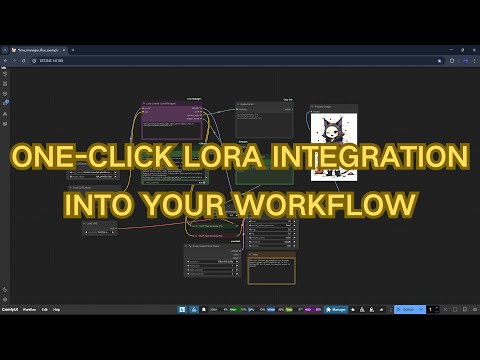](https://youtu.be/qS95OjX3e70)
|
||
[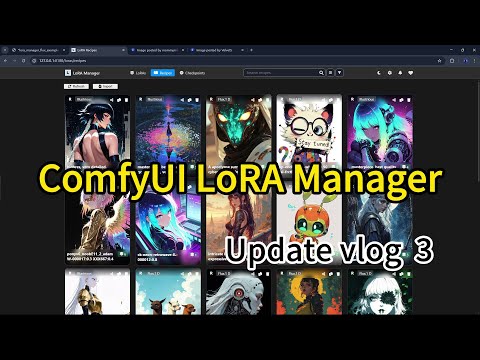](https://youtu.be/noN7f_ER7yo)
|
||
|
||
---
|
||
|
||
## Release Notes
|
||
|
||
### v0.8.2
|
||
* **Faster Initialization for Forge Users** - Improved first-run efficiency by utilizing existing `.json` and `.civitai.info` files from Forge’s CivitAI helper extension, making migration smoother.
|
||
* **LoRA Filename Editing** - Added support for renaming LoRA files directly within LoRA Manager.
|
||
* **Recipe Editing** - Users can now edit recipe names and tags.
|
||
* **Retain Deleted LoRAs in Recipes** - Deleted LoRAs will remain listed in recipes, allowing future functionality to reconnect them once re-obtained.
|
||
* **Download Missing LoRAs from Recipes** - Easily fetch missing LoRAs associated with a recipe.
|
||
|
||
### v0.8.1
|
||
* **Base Model Correction** - Added support for modifying base model associations to fix incorrect metadata for non-CivitAI LoRAs
|
||
* **LoRA Loader Flexibility** - Made CLIP input optional for model-only workflows like Hunyuan video generation
|
||
* **Expanded Recipe Support** - Added compatibility with 3 additional recipe metadata formats
|
||
* **Enhanced Showcase Images** - Generation parameters now displayed alongside LoRA preview images
|
||
* **UI Improvements & Bug Fixes** - Various interface refinements and stability enhancements
|
||
|
||
### v0.8.0
|
||
* **Introduced LoRA Recipes** - Create, import, save, and share your favorite LoRA combinations
|
||
* **Recipe Management System** - Easily browse, search, and organize your LoRA recipes
|
||
* **Workflow Integration** - Save recipes directly from your workflow with generation parameters preserved
|
||
* **Simplified Workflow Application** - Quickly apply saved recipes to new projects
|
||
* **Enhanced UI & UX** - Improved interface design and user experience
|
||
* **Bug Fixes & Stability** - Resolved various issues and enhanced overall performance
|
||
|
||
### v0.7.37
|
||
* Added NSFW content control settings (blur mature content and SFW-only filter)
|
||
* Implemented intelligent blur effects for previews and showcase media
|
||
* Added manual content rating option through context menu
|
||
* Enhanced user experience with configurable content visibility
|
||
* Fixed various bugs and improved stability
|
||
|
||
### v0.7.36
|
||
* Enhanced LoRA details view with model descriptions and tags display
|
||
* Added tag filtering system for improved model discovery
|
||
* Implemented editable trigger words functionality
|
||
* Improved TriggerWord Toggle node with new group mode option for granular control
|
||
* Added new Lora Stacker node with cross-compatibility support (works with efficiency nodes, ComfyRoll, easy-use, etc.)
|
||
* Fixed several bugs
|
||
|
||
### v0.7.35-beta
|
||
* Added base model filtering
|
||
* Implemented bulk operations (copy syntax, move multiple LoRAs)
|
||
* Added ability to edit LoRA model names in details view
|
||
* Added update checker with notification system
|
||
* Added support modal for user feedback and community links
|
||
|
||
### v0.7.33
|
||
* Enhanced LoRA Loader node with visual strength adjustment widgets
|
||
* Added toggle switches for LoRA enable/disable
|
||
* Implemented image tooltips for LoRA preview
|
||
* Added TriggerWord Toggle node with visual word selection
|
||
* Fixed various bugs and improved stability
|
||
|
||
### v0.7.3
|
||
* Added "Lora Loader (LoraManager)" custom node for workflows
|
||
* Implemented one-click LoRA integration
|
||
* Added direct copying of LoRA syntax from manager interface
|
||
* Added automatic preset strength value application
|
||
* Added automatic trigger word loading
|
||
|
||
### v0.7.0
|
||
* Added direct CivitAI integration for downloading LoRAs
|
||
* Implemented version selection for model downloads
|
||
* Added target folder selection for downloads
|
||
* Added context menu with quick actions
|
||
* Added force refresh for CivitAI data
|
||
* Implemented LoRA movement between folders
|
||
* Added personal usage tips and notes for LoRAs
|
||
* Improved performance for details window
|
||
|
||
[View Update History](./update_logs.md)
|
||
|
||
---
|
||
|
||
## **⚠ Important Note**: To use the CivitAI download feature, you'll need to:
|
||
|
||
1. Get your CivitAI API key from your profile settings
|
||
2. Add it to the LoRA Manager settings page
|
||
3. Save the settings
|
||
|
||
---
|
||
|
||
## Key Features
|
||
|
||
- 🚀 **High Performance**
|
||
- Fast model loading and browsing
|
||
- Smooth scrolling through large collections
|
||
- Real-time updates when files change
|
||
|
||
- 📂 **Advanced Organization**
|
||
- Quick search with fuzzy matching
|
||
- Folder-based categorization
|
||
- Move LoRAs between folders
|
||
- Sort by name or date
|
||
|
||
- 🌐 **Rich Model Integration**
|
||
- Direct download from CivitAI
|
||
- Preview images and videos
|
||
- Model descriptions and version selection
|
||
- Trigger words at a glance
|
||
- One-click workflow integration with preset values
|
||
|
||
- 🧩 **LoRA Recipes**
|
||
- Save and share favorite LoRA combinations
|
||
- Preserve generation parameters for future reference
|
||
- Quick application to workflows
|
||
- Import/export functionality for community sharing
|
||
|
||
- 💻 **User Friendly**
|
||
- One-click access from ComfyUI menu
|
||
- Context menu for quick actions
|
||
- Custom notes and usage tips
|
||
- Multi-folder support
|
||
|
||
---
|
||
|
||
## Installation
|
||
|
||
### Option 1: **ComfyUI Manager** (Recommended)
|
||
|
||
1. Open **ComfyUI**.
|
||
2. Go to **Manager > Custom Node Manager**.
|
||
3. Search for `lora-manager`.
|
||
4. Click **Install**.
|
||
|
||
### Option 2: **Manual Installation**
|
||
|
||
```bash
|
||
git clone https://github.com/willmiao/ComfyUI-Lora-Manager.git
|
||
cd ComfyUI-Lora-Manager
|
||
pip install requirements.txt
|
||
```
|
||
|
||
## Usage
|
||
|
||
1. There are two ways to access the LoRA manager:
|
||
- Click the "Launch LoRA Manager" button in the ComfyUI menu
|
||
- Visit http://localhost:8188/loras directly
|
||
2. From the interface, you can:
|
||
- Browse and organize your LoRA models
|
||
- Download models directly from CivitAI
|
||
- Automatically fetch or manually set preview images
|
||
- View and copy trigger words associated with each LoRA
|
||
- Add personal notes and usage tips
|
||
3. To use LoRAs in your workflow:
|
||
- Add the "Lora Loader (LoraManager)" node to your workflow
|
||
- Select a LoRA in the manager interface
|
||
- Click copy button or use right-click menu "Copy LoRA syntax"
|
||
- Paste into the Lora Loader node's text input
|
||
- The node will automatically apply preset strength and trigger words
|
||
|
||
---
|
||
|
||
## Contributing
|
||
|
||
If you have suggestions, bug reports, or improvements, feel free to open an issue or contribute directly to the codebase. Pull requests are always welcome!
|
||
|
||
---
|
||
|
||
## ☕ Support
|
||
|
||
If you find this project helpful, consider supporting its development:
|
||
|
||
[](https://ko-fi.com/pixelpawsai)
|
||
|
||
## 💬 Community
|
||
|
||
Join our Discord community for support, discussions, and updates:
|
||
[Discord Server](https://discord.gg/vcqNrWVFvM)
|
||
|
||
---
|