# ComfyUI LoRA Manager
> **Revolutionize your workflow with the ultimate LoRA companion for ComfyUI!**
[](https://discord.gg/vcqNrWVFvM)
[](https://github.com/willmiao/ComfyUI-Lora-Manager/releases)
[](https://github.com/willmiao/ComfyUI-Lora-Manager/releases)
A comprehensive toolset that streamlines organizing, downloading, and applying LoRA models in ComfyUI. With powerful features like recipe management, checkpoint organization, and one-click workflow integration, working with models becomes faster, smoother, and significantly easier. Access the interface at: `http://localhost:8188/loras`

## 📺 Tutorial: One-Click LoRA Integration
Watch this quick tutorial to learn how to use the new one-click LoRA integration feature:
[](https://youtu.be/hvKw31YpE-U)
## 🌐 Browser Extension
Enhance your Civitai browsing experience with our companion browser extension! See which models you already have, download new ones with a single click, and manage your downloads efficiently.

📚 [Learn More: Complete Tutorial](https://github.com/willmiao/ComfyUI-Lora-Manager/wiki/LoRA-Manager-Civitai-Extension-(Chrome-Extension))
---
## Release Notes
### v0.8.30
* **Automatic Model Path Correction** - Added auto-correction for model paths in built-in nodes such as Load Checkpoint, Load Diffusion Model, Load LoRA, and other custom nodes with similar functionality. Workflows containing outdated or incorrect model paths will now be automatically updated to reflect the current location of your models.
* **Node UI Enhancements** - Improved node interface for a smoother and more intuitive user experience.
* **Bug Fixes** - Addressed various bugs to enhance stability and reliability.
### v0.8.29
* **Enhanced Recipe Imports** - Improved recipe importing with new target folder selection, featuring path input autocomplete and interactive folder tree navigation. Added a "Use Default Path" option when downloading missing LoRAs.
* **WanVideo Lora Select Node Update** - Updated the WanVideo Lora Select node with a 'merge_loras' option to match the counterpart node in the WanVideoWrapper node package.
* **Autocomplete Conflict Resolution** - Resolved an autocomplete feature conflict in LoRA nodes with pysssss autocomplete.
* **Improved Download Functionality** - Enhanced download functionality with resumable downloads and improved error handling.
* **Bug Fixes** - Addressed several bugs for improved stability and performance.
### v0.8.28
* **Autocomplete for Node Inputs** - Instantly find and add LoRAs by filename directly in Lora Loader, Lora Stacker, and WanVideo Lora Select nodes. Autocomplete suggestions include preview tooltips and preset weights, allowing you to quickly select LoRAs without opening the LoRA Manager UI.
* **Duplicate Notification Control** - Added a switch to duplicates mode, enabling users to turn off duplicate model notifications for a more streamlined experience.
* **Download Example Images from Context Menu** - Introduced a new context menu option to download example images for individual models.
### v0.8.27
* **User Experience Enhancements** - Improved the model download target folder selection with path input autocomplete and interactive folder tree navigation, making it easier and faster to choose where models are saved.
* **Default Path Option for Downloads** - Added a "Use Default Path" option when downloading models. When enabled, models are automatically organized and stored according to your configured path template settings.
* **Advanced Download Path Templates** - Expanded path template settings, allowing users to set individual templates for LoRA, checkpoint, and embedding models for greater flexibility. Introduced the `{author}` placeholder, enabling automatic organization of model files by creator name.
* **Bug Fixes & Stability Improvements** - Addressed various bugs and improved overall stability for a smoother experience.
### v0.8.26
* **Creator Search Option** - Added ability to search models by creator name, making it easier to find models from specific authors.
* **Enhanced Node Usability** - Improved user experience for Lora Loader, Lora Stacker, and WanVideo Lora Select nodes by fixing the maximum height of the text input area. Users can now freely and conveniently adjust the LoRA region within these nodes.
* **Compatibility Fixes** - Resolved compatibility issues with ComfyUI and certain custom nodes, including ComfyUI-Custom-Scripts, ensuring smoother integration and operation.
### v0.8.25
* **LoRA List Reordering**
- Drag & Drop: Easily rearrange LoRA entries using the drag handle.
- Keyboard Shortcuts:
- Arrow keys: Navigate between LoRAs
- Ctrl/Cmd + Arrow: Move selected LoRA up/down
- Ctrl/Cmd + Home/End: Move selected LoRA to top/bottom
- Delete/Backspace: Remove selected LoRA
- Context Menu: Right-click for quick actions like Move Up, Move Down, Move to Top, Move to Bottom.
* **Bulk Operations for Checkpoints & Embeddings**
- Bulk Mode: Select multiple checkpoints or embeddings for batch actions.
- Bulk Refresh: Update Civitai metadata for selected models.
- Bulk Delete: Remove multiple models at once.
- Bulk Move (Embeddings): Move selected embeddings to a different folder.
* **New Setting: Auto Download Example Images**
- Automatically fetch example images for models missing previews (requires download location to be set). Enabled by default.
* **General Improvements**
- Various user experience enhancements and stability fixes.
### v0.8.22
* **Embeddings Management** - Added Embeddings page for comprehensive embedding model management.
* **Advanced Sorting Options** - Introduced flexible sorting controls, allowing sorting by name, added date, or file size in both ascending and descending order.
* **Custom Download Path Templates & Base Model Mapping** - Implemented UI settings for configuring download path templates and base model path mappings, allowing customized model organization and storage location when downloading models via LM Civitai Extension.
* **LM Civitai Extension Enhancements** - Improved concurrent download performance and stability, with new support for canceling active downloads directly from the extension interface.
* **Update Feature** - Added update functionality, allowing users to update LoRA Manager to the latest release version directly from the LoRA Manager UI.
* **Bulk Operations: Refresh All** - Added bulk refresh functionality, allowing users to update Civitai metadata across multiple LoRAs.
### v0.8.20
* **LM Civitai Extension** - Released [browser extension through Chrome Web Store](https://chromewebstore.google.com/detail/lm-civitai-extension/capigligggeijgmocnaflanlbghnamgm?utm_source=item-share-cb) that works seamlessly with LoRA Manager to enhance Civitai browsing experience, showing which models are already in your local library, enabling one-click downloads, and providing queue and parallel download support
* **Enhanced Lora Loader** - Added support for nunchaku, improving convenience when working with ComfyUI-nunchaku workflows, plus new template workflows for quick onboarding
* **WanVideo Integration** - Introduced WanVideo Lora Select (LoraManager) node compatible with ComfyUI-WanVideoWrapper for streamlined lora usage in video workflows, including a template workflow to help you get started quickly
### v0.8.19
* **Analytics Dashboard** - Added new Statistics page providing comprehensive visual analysis of model collection and usage patterns for better library insights
* **Target Node Selection** - Enhanced workflow integration with intelligent target choosing when sending LoRAs/recipes to workflows with multiple loader/stacker nodes; a visual selector now appears showing node color, type, ID, and title for precise targeting
* **Enhanced NSFW Controls** - Added support for setting NSFW levels on recipes with automatic content blurring based on user preferences
* **Customizable Card Display** - New display settings allowing users to choose whether card information and action buttons are always visible or only revealed on hover
* **Expanded Compatibility** - Added support for efficiency-nodes-comfyui in Save Recipe and Save Image nodes, plus fixed compatibility with ComfyUI_Custom_Nodes_AlekPet
### v0.8.18
* **Custom Example Images** - Added ability to import your own example images for LoRAs and checkpoints with automatic metadata extraction from embedded information
* **Enhanced Example Management** - New action buttons to set specific examples as previews or delete custom examples
* **Improved Duplicate Detection** - Enhanced "Find Duplicates" with hash verification feature to eliminate false positives when identifying duplicate models
* **Tag Management** - Added tag editing functionality allowing users to customize and manage model tags
* **Advanced Selection Controls** - Implemented Ctrl+A shortcut for quickly selecting all filtered LoRAs, automatically entering bulk mode when needed
* **Note**: Cache file functionality temporarily disabled pending rework
### v0.8.17
* **Duplicate Model Detection** - Added "Find Duplicates" functionality for LoRAs and checkpoints using model file hash detection, enabling convenient viewing and batch deletion of duplicate models
* **Enhanced URL Recipe Imports** - Optimized import recipe via URL functionality using CivitAI API calls instead of web scraping, now supporting all rated images (including NSFW) for recipe imports
* **Improved TriggerWord Control** - Enhanced TriggerWord Toggle node with new default_active switch to set the initial state (active/inactive) when trigger words are added
* **Centralized Example Management** - Added "Migrate Existing Example Images" feature to consolidate downloaded example images from model folders into central storage with customizable naming patterns
* **Intelligent Word Suggestions** - Implemented smart trigger word suggestions by reading class tokens and tag frequency from safetensors files, displaying recommendations when editing trigger words
* **Model Version Management** - Added "Re-link to CivitAI" context menu option for connecting models to different CivitAI versions when needed
[View Update History](./update_logs.md)
---
## **⚠ Important Note**: To use the CivitAI download feature, you'll need to:
1. Get your CivitAI API key from your profile settings
2. Add it to the LoRA Manager settings page
3. Save the settings
---
## Key Features
- 🚀 **High Performance**
- Fast model loading and browsing
- Smooth scrolling through large collections
- 🌐 **Rich Model Integration**
- Direct download from CivitAI
- Preview images and videos
- Model descriptions and version selection
- Trigger words at a glance
- One-click workflow integration with preset values
- 🔄 **Checkpoint Management**
- Scan and organize checkpoint models
- Filter and search your collection
- View and edit metadata
- Clean up and manage disk space
- 🧩 **LoRA Recipes**
- Save and share favorite LoRA combinations
- Preserve generation parameters for future reference
- Quick application to workflows
- Import/export functionality for community sharing
- 💻 **User Friendly**
- One-click access from ComfyUI menu
- Context menu for quick actions
- Custom notes and usage tips
- Multi-folder support
- Visual progress indicators during initialization
---
## Installation
### Option 1: **ComfyUI Manager** (Recommended for ComfyUI users)
1. Open **ComfyUI**.
2. Go to **Manager > Custom Node Manager**.
3. Search for `lora-manager`.
4. Click **Install**.
### Option 2: **Portable Standalone Edition** (No ComfyUI required)
1. Download the [Portable Package](https://github.com/willmiao/ComfyUI-Lora-Manager/releases/download/v0.8.26/lora_manager_portable.7z)
2. Copy the provided `settings.json.example` file to create a new file named `settings.json` in `comfyui-lora-manager` folder
3. Edit `settings.json` to include your correct model folder paths and CivitAI API key
4. Run run.bat
- To change the startup port, edit `run.bat` and modify the parameter (e.g. `--port 9001`)
### Option 3: **Manual Installation**
```bash
git clone https://github.com/willmiao/ComfyUI-Lora-Manager.git
cd ComfyUI-Lora-Manager
pip install -r requirements.txt
```
## Usage
1. There are two ways to access the LoRA manager:
- Click the "Launch LoRA Manager" button in the ComfyUI menu
- Visit http://localhost:8188/loras directly
2. From the interface, you can:
- Browse and organize your LoRA models
- Download models directly from CivitAI
- Automatically fetch or manually set preview images
- View and copy trigger words associated with each LoRA
- Add personal notes and usage tips
3. To use LoRAs in your workflow:
- Add the "Lora Loader (LoraManager)" node to your workflow
- Select a LoRA in the manager interface
- Click copy button or use right-click menu "Copy LoRA syntax"
- Paste into the Lora Loader node's text input
- The node will automatically apply preset strength and trigger words
### Filename Format Patterns for Save Image Node
The Save Image Node supports dynamic filename generation using pattern codes. You can customize how your images are named using the following format patterns:
#### Available Pattern Codes
- `%seed%` - Inserts the generation seed number
- `%width%` - Inserts the image width
- `%height%` - Inserts the image height
- `%pprompt:N%` - Inserts the positive prompt (limited to N characters)
- `%nprompt:N%` - Inserts the negative prompt (limited to N characters)
- `%model:N%` - Inserts the model/checkpoint name (limited to N characters)
- `%date%` - Inserts current date/time as "yyyyMMddhhmmss"
- `%date:FORMAT%` - Inserts date using custom format with:
- `yyyy` - 4-digit year
- `yy` - 2-digit year
- `MM` - 2-digit month
- `dd` - 2-digit day
- `hh` - 2-digit hour
- `mm` - 2-digit minute
- `ss` - 2-digit second
#### Examples
- `image_%seed%` → `image_1234567890`
- `gen_%width%x%height%` → `gen_512x768`
- `%model:10%_%seed%` → `dreamshape_1234567890`
- `%date:yyyy-MM-dd%` → `2025-04-28`
- `%pprompt:20%_%seed%` → `beautiful landscape_1234567890`
- `%model%_%date:yyMMdd%_%seed%` → `dreamshaper_v8_250428_1234567890`
You can combine multiple patterns to create detailed, organized filenames for your generated images.
### Standalone Mode
You can now run LoRA Manager independently from ComfyUI:
1. **For ComfyUI users**:
- Launch ComfyUI with LoRA Manager at least once to initialize the necessary path information in the `settings.json` file.
- Make sure dependencies are installed: `pip install -r requirements.txt`
- From your ComfyUI root directory, run:
```bash
python custom_nodes\comfyui-lora-manager\standalone.py
```
- Access the interface at: `http://localhost:8188/loras`
- You can specify a different host or port with arguments:
```bash
python custom_nodes\comfyui-lora-manager\standalone.py --host 127.0.0.1 --port 9000
```
2. **For non-ComfyUI users**:
- Copy the provided `settings.json.example` file to create a new file named `settings.json`
- Edit `settings.json` to include your correct model folder paths and CivitAI API key
- Install required dependencies: `pip install -r requirements.txt`
- Run standalone mode:
```bash
python standalone.py
```
- Access the interface through your browser at: `http://localhost:8188/loras`
This standalone mode provides a lightweight option for managing your model and recipe collection without needing to run the full ComfyUI environment, making it useful even for users who primarily use other stable diffusion interfaces.
---
## Contributing
Thank you for your interest in contributing to ComfyUI LoRA Manager! As this project is currently in its early stages and undergoing rapid development and refactoring, we are temporarily not accepting pull requests.
However, your feedback and ideas are extremely valuable to us:
- Please feel free to open issues for any bugs you encounter
- Submit feature requests through GitHub issues
- Share your suggestions for improvements
We appreciate your understanding and look forward to potentially accepting code contributions once the project architecture stabilizes.
---
## Credits
This project has been inspired by and benefited from other excellent ComfyUI extensions:
- [ComfyUI-SaveImageWithMetaData](https://github.com/nkchocoai/ComfyUI-SaveImageWithMetaData) - For the image metadata functionality
- [rgthree-comfy](https://github.com/rgthree/rgthree-comfy) - For the lora loader functionality
---
## ☕ Support
If you find this project helpful, consider supporting its development:
[](https://ko-fi.com/pixelpawsai)
[](https://patreon.com/PixelPawsAI)
WeChat: [Click to view QR code](https://raw.githubusercontent.com/willmiao/ComfyUI-Lora-Manager/main/static/images/wechat-qr.webp)
## 💬 Community
Join our Discord community for support, discussions, and updates:
[Discord Server](https://discord.gg/vcqNrWVFvM)
---
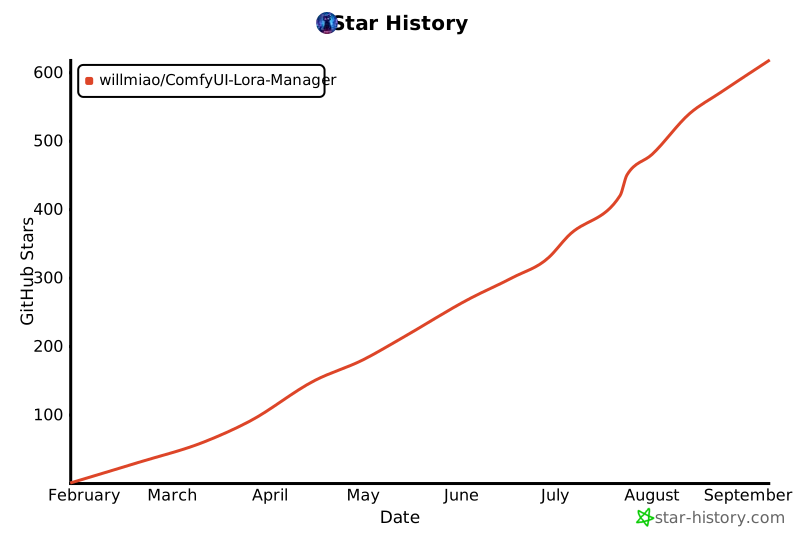
## Star History
[](https://star-history.com/#willmiao/ComfyUI-Lora-Manager&Date)
 Get Extension from Chrome Web Store